Affiliate Disclosure: This site earns commission through affiliate links at no cost to you.
CrushOn AI Download Guide 2026: Android, iPhone & Web Access
You can be chatting on CrushOn AI within five minutes regardless of your device. The platform offers three access routes: Android app via Google Play Store, iOS app (with regional caveats), and full-featured web browser access at crushon.ai that requires no download at all. This guide walks through each route step by step, including what to do when the App Store option is unavailable in your region.
No credit card is needed for a free account. You just need an email address and five minutes.
For what you will find once you're inside, our CrushOn AI review covers the full platform.
Option A: Android via Google Play Store

The Google Play Store listing is the primary Android access method and is available in most countries worldwide.
Download steps:
- Open Google Play Store on your Android device
- Search "CrushOn AI" in the search bar
- Locate the official app — publisher is Peekaboo Tech Inc.
- Tap "Install"
- Wait for download and installation to complete
- Open the app and proceed to account creation
Requirements: Android 5.0 (Lollipop) or higher. Best experience on Android 8.0+.
If you cannot find the app in Play Store: Either use the APK method below or access via web browser — both provide equivalent functionality.
Option B: Android APK from Official Website
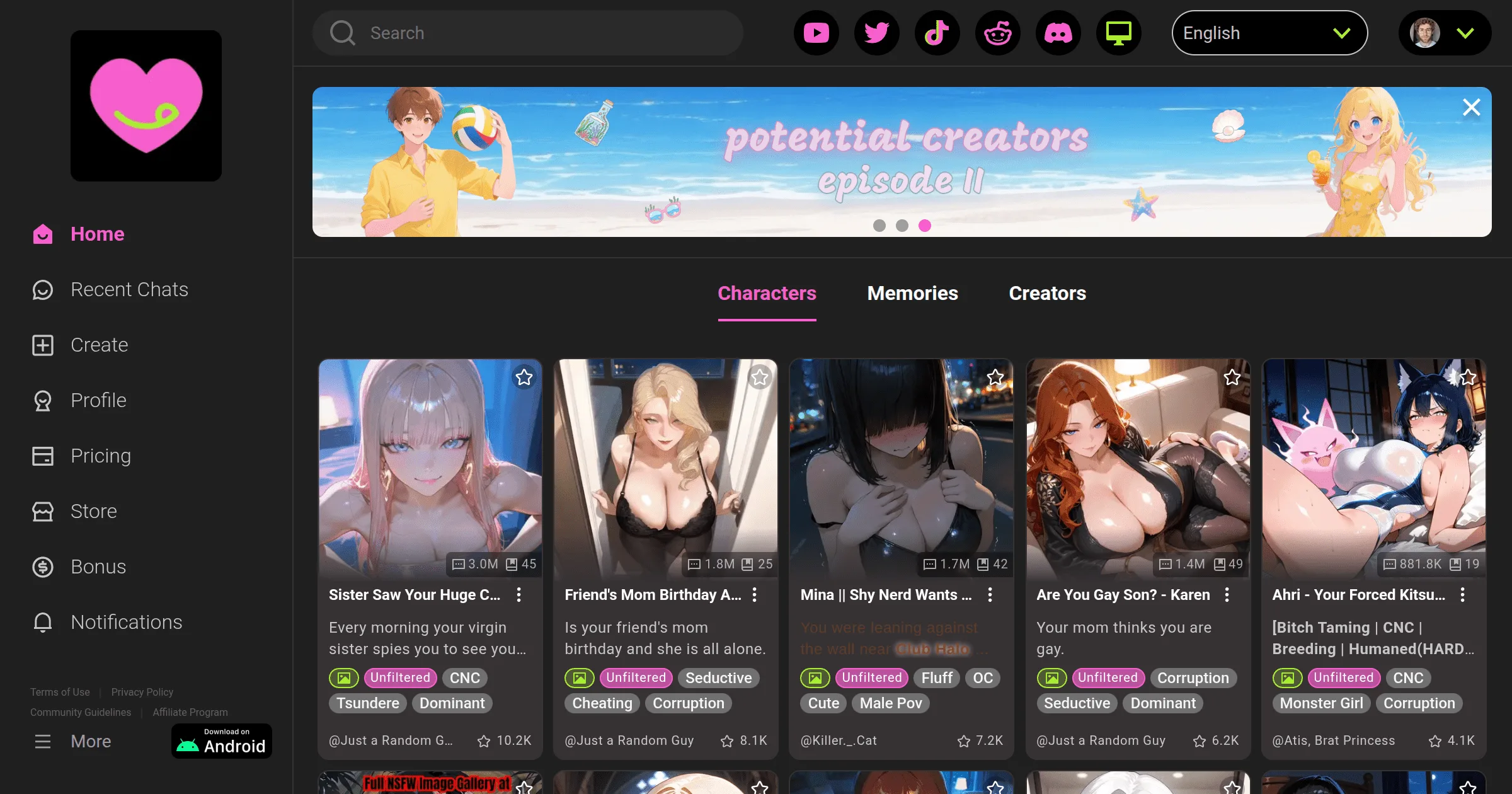
The APK route is for Android users who cannot access the Play Store listing in their region, or who prefer direct installation.
APK download steps:
- On your Android device, go to Settings > Security (or Settings > Apps > Special App Access > Install Unknown Apps, depending on Android version)
- Enable "Install from unknown sources" or allow your browser to install apps
- Open your mobile browser and navigate to crushon.ai
- Find the app download section and download the official APK file
- Once downloaded, open the APK file from your Downloads folder or notification
- Follow the installation prompts
- Open the app and create your account
Latest version: Approximately v6.5.x as of 2026. Check crushon.ai for the current version.
Security note: Only download the CrushOn AI APK from crushon.ai directly. Third-party APK hosting sites may distribute modified versions that are not official or safe.
Option C: iOS via App Store
CrushOn AI has an iOS application, but its availability in the Apple App Store is regionally variable. Apple's content policies regarding explicit adult material have resulted in the app being removed from some regional App Store catalogs.
If the app is available in your region:
- Open the App Store on your iPhone or iPad
- Search "CrushOn AI"
- Tap "Get" to download
- Open and create your account
iOS requirement: iOS 14 or higher.
If the app is not available in your App Store: Use the web version through Safari (see Option D). Full functionality is preserved.
Option D: Web Browser (Any Device, No Download)
The web version at crushon.ai is not a stripped-down mobile experience — it is the full platform, accessible from any device with a modern browser. This is the most universally accessible option and the recommended choice for desktop users and iOS users in regions without App Store access.
Web access steps:
- Open any modern browser (Chrome, Firefox, Safari, Edge)
- Navigate to crushon.ai
- Click "Sign Up" or "Get Started"
- Create your account (3-4 minutes)
- Begin using the platform immediately
For iPhone users who want a home screen shortcut: In Safari, after loading crushon.ai, tap the Share button (square with upward arrow), select "Add to Home Screen," and name the shortcut. This creates a Progressive Web App (PWA) shortcut that launches the site like a native app.
Web version feature parity: All features available in the mobile app are accessible via web browser — character library, image generation, voice messages (Premium+), model selection, character creation, and account management.
Creating Your CrushOn AI Account
Account creation is required regardless of access method. The process is identical across platforms.
Email registration:
- Click Sign Up
- Enter email address
- Choose a password
- Confirm you are 18 years or older (self-reported)
- Verify your email via the confirmation link
Google or social login:
- Click "Continue with Google" (or equivalent)
- Authorize the connection
- Confirm the 18+ age confirmation
- Complete optional profile setup
What is NOT required: No credit card, no phone number, no ID verification for free account creation.
Ready to try CrushOn AI?
Visit CrushOn AIApp vs. Web: Which Should You Use?
| Consideration | Mobile App | Web Browser |
|---|---|---|
| Installation | Required | Not required |
| Push notifications | Yes | No |
| Background use | Yes | No |
| Desktop use | Not ideal | Full support |
| iOS availability | Regional | Universal |
| Android availability | Most regions | Universal |
| Feature completeness | Full | Full |
| Performance | App-optimized | Good |
The practical answer: use whichever is more convenient for your device situation. Android users in Play Store-supported regions typically prefer the app for the interface optimization. Desktop users prefer the web version. iOS users in many regions will use web by necessity.
Troubleshooting
App Store: "Not Available in Your Country"
This is Apple's regional content restriction in action. The solution is the web version via Safari — crushon.ai provides full feature access. Add it to your home screen for app-like access.
Google Play: App Not Found
Try the APK from crushon.ai. If regional blocking applies on Play Store, the direct APK bypasses this. Alternatively, use the web version.
App Crashes on Launch
Update to the latest version available through your installation method. If already on the latest version, uninstall, restart your device, and reinstall. Account data is server-stored — reinstallation does not affect saved content.
Login Issues After Installation
Verify you are using the same login method used at account creation. Email/password and Google login are separate systems — if you registered with Google, you cannot log in with email/password for that account.
For ongoing platform issues beyond installation, see our CrushOn AI troubleshooting guide.
Frequently Asked Questions
No download is required. CrushOn AI's web version at crushon.ai provides full platform access in any modern browser on any device. Download is optional — not required.
Apple's App Store content policies restrict explicit adult content applications. CrushOn AI's NSFW features have led to regional removal from some App Store catalogs. iPhone users in affected regions can access the full platform at crushon.ai in Safari.
The official CrushOn AI APK from crushon.ai is safe — it is the same application distributed via Google Play, just downloaded directly. Do not download APK files from third-party sites that may distribute modified or unsafe versions.
Android phones and tablets (Android 5.0+), iPhone and iPad (iOS 14+), and any device with a modern web browser — including Windows, Mac, and Linux computers. No dedicated desktop app exists; desktop users use the web version.
No. Account creation is required to use any feature of the platform, including browsing the character library. Account creation is free and requires only an email address.
Yes. Your CrushOn AI account is cloud-based. Log in on any device — phone, tablet, computer — and access the same characters, conversation history, and account settings. There is no device limit.